Two reports from one analysis
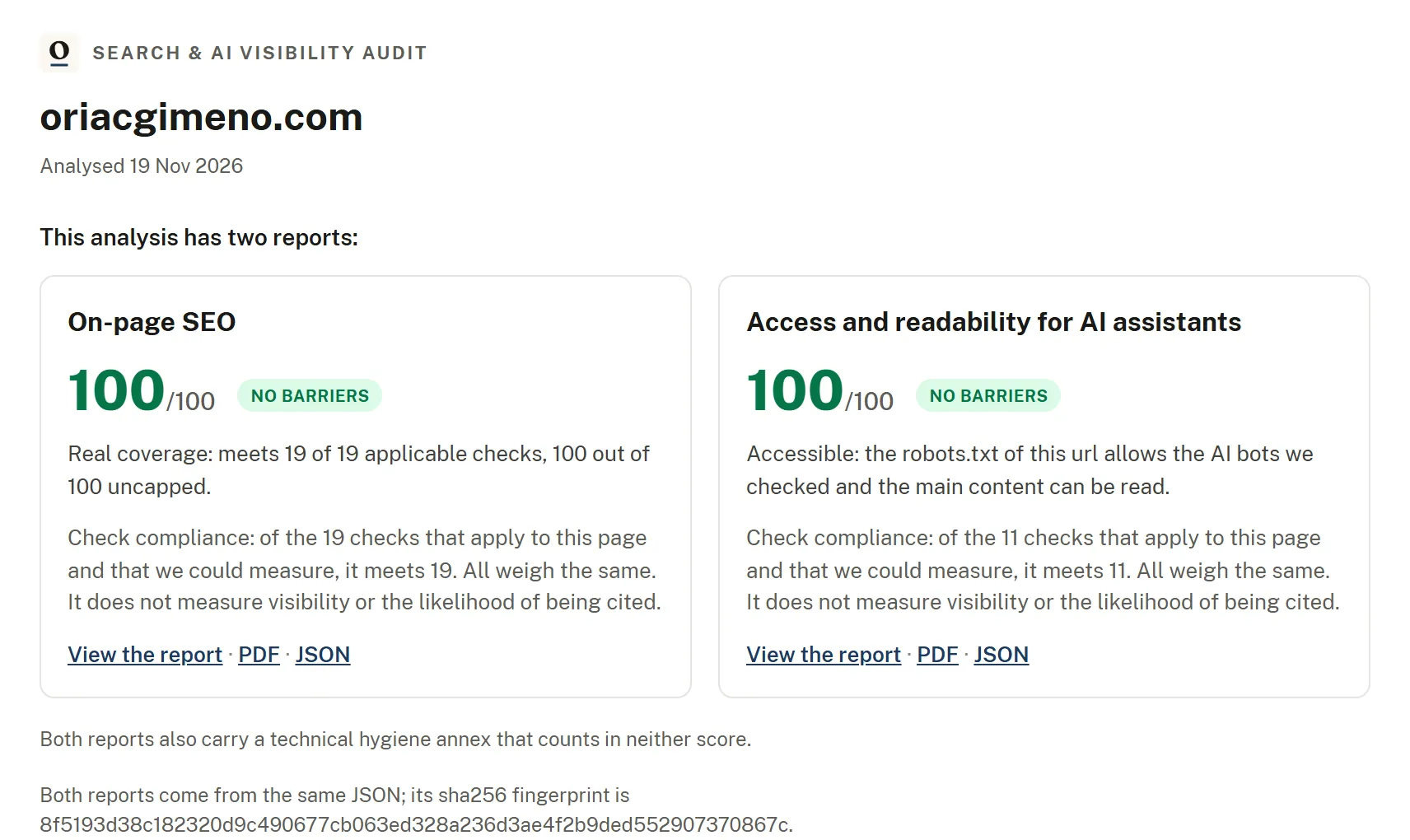
The audit reads one URL, live at the time of the audit, and gives two independent reports:
- On-page SEO. Whether Google and Bing can crawl and index the page, and which on-page best practices it meets. How the On-page SEO report works.
- Access for AI assistants. Whether the 9 AI search bots may enter according to robots.txt, and whether the main content is in the HTML a bot gets without JavaScript. How the Access for AI assistants report works.
Each report has its own score from 0 to 100: the share of applicable checks the page meets, where all checks weigh the same. There is no combined score. The two reports are shown side by side, never added up or averaged.
Why two reports
Google says that, from its perspective, optimizing for generative AI search “is still SEO” (Google Search Central, guide to generative AI features, 2026). So the page’s own quality signals belong in the SEO report. What is specific to AI assistants is whether their bots can get in and read the content. That is access, and it gets its own report.
The facts both reports need (HTTP status, noindex, canonical, redirects, robots.txt for Googlebot and Bingbot) are read once and count only in the SEO report.
What neither report promises
Neither report predicts rankings or says whether an AI assistant will cite you. For what Google and Bing themselves report about your presence in their AI answers, see the AI Performance Report.
Every check carries its backing (Official, Public third-party measurement, Convention, or Hypothesis, which does not score), and whatever can’t be measured from outside is marked as such.
Technical detail
How it audits your site and how to exclude your domain
What it is. The Search & AI Visibility Audit runs its audits from https://audit.oriacgimeno.com. It does not walk your site. It only acts when a person types a URL on that page and asks for an audit. Each audit is of a single URL.
How it shows in your logs. In your logs the crawler shows up as GEOToolAuditor, with this user agent: GEOToolAuditor/1.0 (+https://oriacgimeno.com/methodology/search-ai-visibility-audit). One of the requests carries it at the end of a mobile user agent (Android, Chrome), to compare what a phone is served.
You will also see AI bot names. To learn how your site treats each bot, the audit requests the page and your robots.txt with the exact user agent of up to 27 bots: the AI search bots (OAI-SearchBot, Claude-SearchBot, PerplexityBot, Applebot, Amzn-SearchBot, meta-webindexer, DuckAssistBot, Kimi-SearchBot and MistralAI-Index), Googlebot and bingbot, and, if time allows, the training bots and those acting on a user’s request (GPTBot, ClaudeBot, ChatGPT-User and others). Those requests come from our IP, not from those operators’: they are not the real bots. One more request uses a made-up agent, GEOToolProbe- followed by 8 random characters and /1.0, different in each audit. They go one after another, with at least half a second between them, never in parallel.
From where. From Fly.io servers in the Paris region (cdg). We have no fixed IP, so we cannot publish a list of addresses.
How many requests, and of what kind. Per audit, at most 200 requests and 150 seconds. Besides, if the page is not blocked, one more load with a browser, which has its own limit of another 200 requests and does download images and fonts, as a visitor would. Both limits also count what the page loads from other domains. What is requested:
- the URL, following its redirects (up to 10 hops), and the same page loaded with a headless browser that runs its JavaScript (up to 3 loads, plus the one above);
- your robots.txt (one per domain in the redirect chain), llms.txt and llms-full.txt;
- your sitemaps (up to 25 files and 60 seconds); only their list of addresses is read: no other page is visited;
- the http:// version of the URL if it is https (1 KB), its canonical’s target if it points elsewhere, and up to 20 language versions (hreflang), which may be on other domains;
- the page with a mobile user agent;
- the requests with bot user agents described above (page and robots.txt for each).
Our code only sends GET requests. The browser, however, runs the page’s JavaScript, and whatever that JavaScript requests (analytics, for example) goes out as in any visit. It does not fill in forms or log in, and each load starts without cookies.
robots.txt. The tool does not check robots.txt to decide whether to request the URL: it is an audit someone asked for of that URL, not a crawl. It reads your robots.txt to report what it says to each bot, and it does not apply Crawl-delay.
If your server blocks or limits. We do not retry to get past a block: if the identified request is refused, we do not repeat it with a browser user agent. If you answer 429 or 503, the service stops auditing your domain for 5 minutes, and the wait doubles with each such answer, up to 1 hour. With a 429 and a Retry-After of up to 10 seconds on a request with a bot user agent, we wait that long and repeat it once. Besides, nobody can ask for more than 6 new audits of your domain per hour, and the service makes no more than 1,200 requests per hour to one domain. A recent audit of the same URL is served from memory for 30 minutes, without requesting anything again.
What we keep. We do not keep your site’s HTML or the text of your robots.txt: the audit’s result (the measured facts) is kept in memory, for 1 hour at most. In addition, for each report delivered a minimal usage record is kept: the analysed domain, the interface language, the approximate country (from the Cloudflare header), the date and time, and a flag indicating whether the request appears to be automated (a bot) or not, with the internal identifier stored hashed. We do not store IP address, browser, email or the full URL. It is kept for 24 months, as the privacy policy says (https://oriacgimeno.com/privacy, sections 2 and 3).
How to exclude your domain. Write to oriac@oriacgimeno.com with the domain you want excluded. We add it by hand to the exclusion list. Excluding example.com also excludes www.example.com and any subdomain. Once it is on the list, the service refuses every new audit of that domain before making any request to it. And if the audit of another address would need to request something from it (for example, because that address redirects to your domain), the audit stops before making that request. The exception is the resources the audited page asks your domain for (an image, a script, a font), the language versions it declares on it, and its canonical if it points there: that request is not made, the audit goes on without them, and the report says which resources, language versions or canonical were not checked and on which domain. An audit already running when your domain was added finishes.