What it is and who it is for
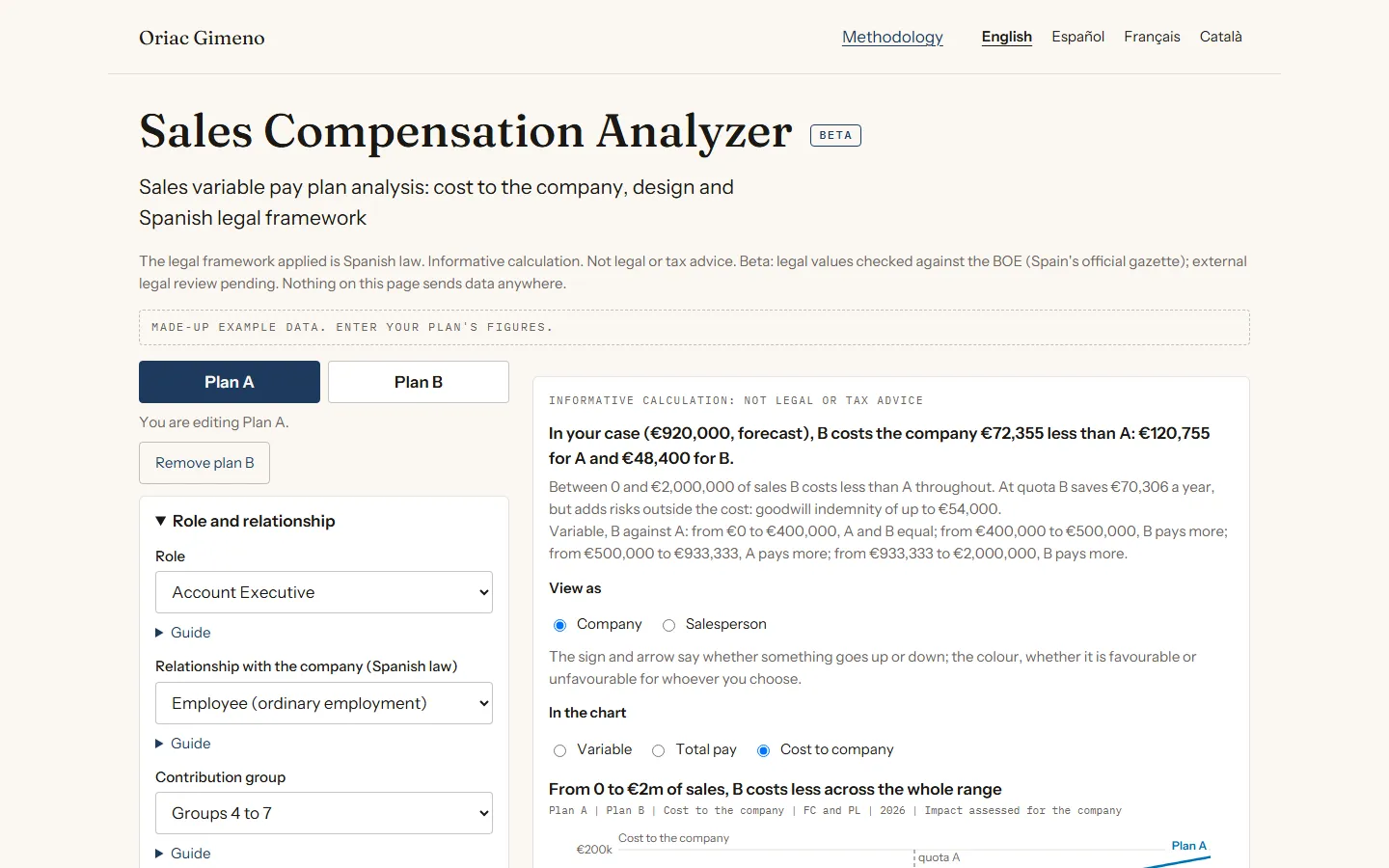
Sales Compensation Analyzer analyses a sales commission plan with the actual figures of the plan and the person, and compares two plans by what they cost the company. It draws the tiered variable pay curve, calculates the cost according to the working relationship and flags what is badly designed. It is for sales directors, finance and HR teams who design or review a plan. The legal framework applied is Spanish. It informs; it does not advise.
What it delivers
- The analysis on screen: payout curve and marginal rate, «Your case» with the person’s actual or forecast sales, cost to the company, A/B comparison, design alerts and risks outside the cost.
- A PDF report from the browser itself (cover, executive summary, charts, alerts, assumptions and annexes), a one-page plan sheet for the sales rep and the settlement of «Your case».
- A JSON file with inputs and results, with a public schema and a hash to verify it.
- One CSV per table, in your language’s format or in a technical format.
- Each chart as SVG or PNG, for screen or for a 16:9 slide.
Status: beta
Legal values checked against the Spanish Official Gazette (BOE); external legal review pending. Until that review, the tool is published as a beta and says so next to the title in all four languages.
What it calculates
- Variable pay. Tiers on quota attainment, marginal or retroactive, with an optional threshold and cap, and up to two metrics. Formulas.
- Cost to the company, by relationship: employee, sales representative, self-employed agent or agent trading through a company. VAT and withholdings are not a cost and are shown separately. Cost by relationship.
- Comparison of two plans at equal sales in euros, with the exact points where they cross.
- Risks outside the cost: goodwill indemnity, notice, signs of an employment relationship. It counts signs; it does not classify the relationship.
- Design alerts, each with its rule, threshold and source. Alerts.
What it does not do
- It does not calculate anyone’s net salary or final income tax.
- It does not calculate severance pay or interpret contracts or collective agreements.
- It does not say whether a relationship is employment: it counts signs and shows the scenario.
- It does not demonstrate compliance with pay transparency rules (RDL 39/2026, Directive (EU) 2023/970).
- Market references carry their source, date and type: [M] measured, [C] consultancy or third-party view, [H] our hypothesis. References from other markets (mostly North America) are not converted to euros or to Spain. If there is no reference for a case, it says so.
Privacy and verification
Everything is calculated in your browser. Nothing is sent to any server, ours or anyone else’s, and the tool’s host has no analytics. The analysis is stored only in the link fragment (what comes after #), which the browser does not send. If you share the link, you share the salaries in it: the tool warns you and offers to share relative amounts (OTE = 100). And you can check it:
- The page declares a security policy (CSP) with connect-src ‘none’, visible with
curl -I. Since v1.1 it also allowsblob:images, only to draw a chart’s PNG inside the page. - In the browser’s developer tools, Network tab, you will see zero requests while you use the tool.
- The served code can be read, and we publish its sha256, so you can confirm that what runs is what we published.
- The JSON file and the report carry the sha256 of the inputs: how to verify it.
Full methodology
- Data guide: what goes in each field.
- Formulas.
- Cost by relationship.
- Alerts.
- Legal values and references.
- Charts and deliverables.
- Data format.
- Glossary.
- Versions and roadmap.